Example 05 – Advanced data loading with pandas and ROOT
Aims
Instructions
Pandas is an open source, BSD-licensed library providing high-performance, easy-to-use data structures and data analysis tools for the Python programming language:
It provides a DataFrame class, which is a useful tool to organise
structured data:
from six import print_
from remu import binning
import numpy as np
import pandas as pd
pd.set_option('display.max_rows', 10)

px = np.random.randn(1000)*20
py = np.random.randn(1000)*20
pz = np.random.randn(1000)*20
df = pd.DataFrame({'px': px, 'py': py, 'pz': pz})
print_(df)
            px         py         pz
0    11.303814  17.827475  -4.907148
1    -2.895522   0.474319  -4.954489
2     1.704779 -25.109492  12.531391
3   -10.241488 -32.440206   2.002530
4    -6.966783  13.583822  12.081734
..         ...        ...        ...
995  30.303069  15.847379  -6.023343
996 -29.834331  -1.555491   8.823171
997  -9.434859   8.010242  20.753050
998 -20.817980  28.550349  23.112979
999  -8.857582  22.968800 -11.673623

[1000 rows x 3 columns]
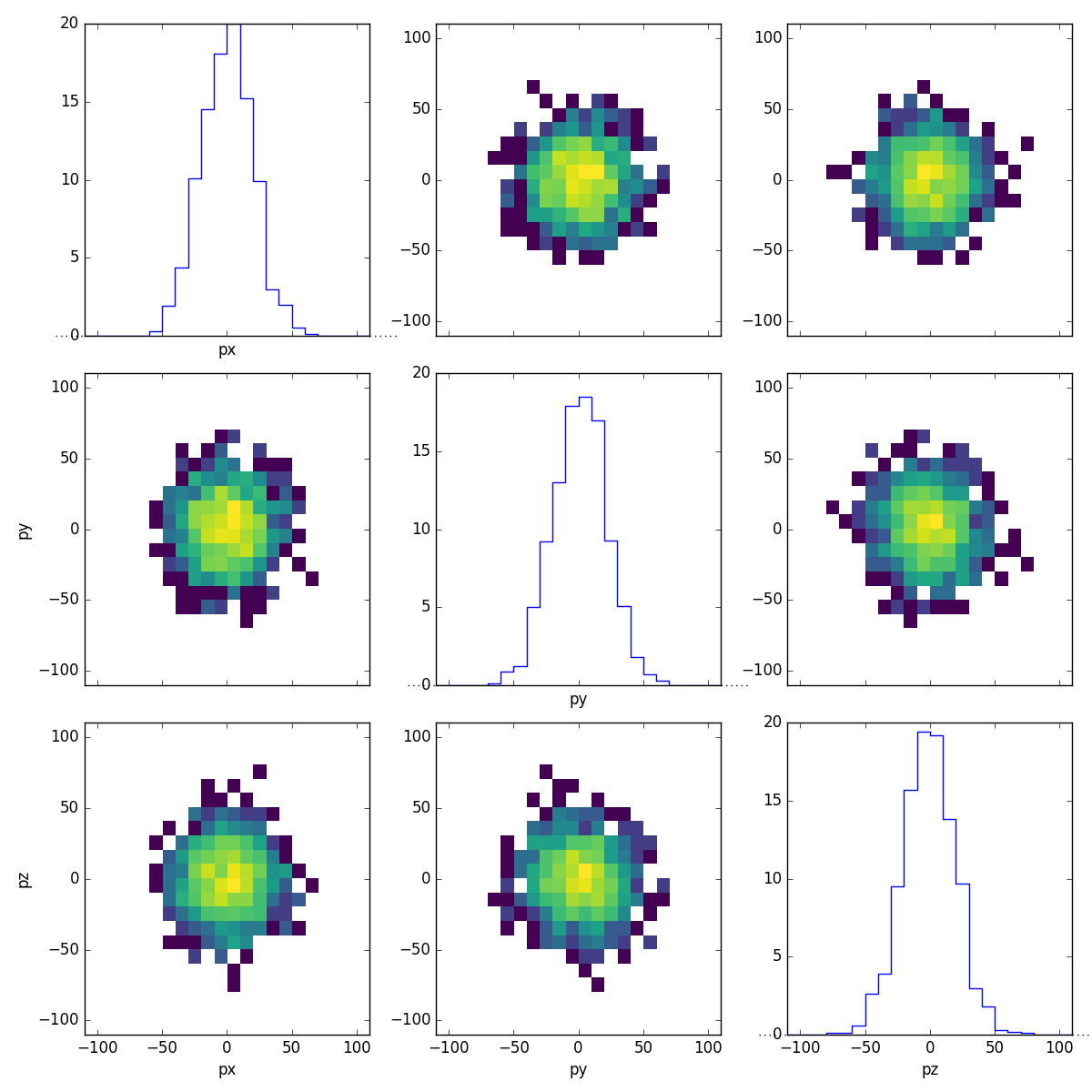
ReMU supports DataFrame objects as inputs for all
fill methods:
with open("muon-binning.yml", 'rt') as f:
    muon_binning = binning.yaml.load(f)

muon_binning.fill(df)
muon_binning.plot_values("pandas.png", variables=(None,None))
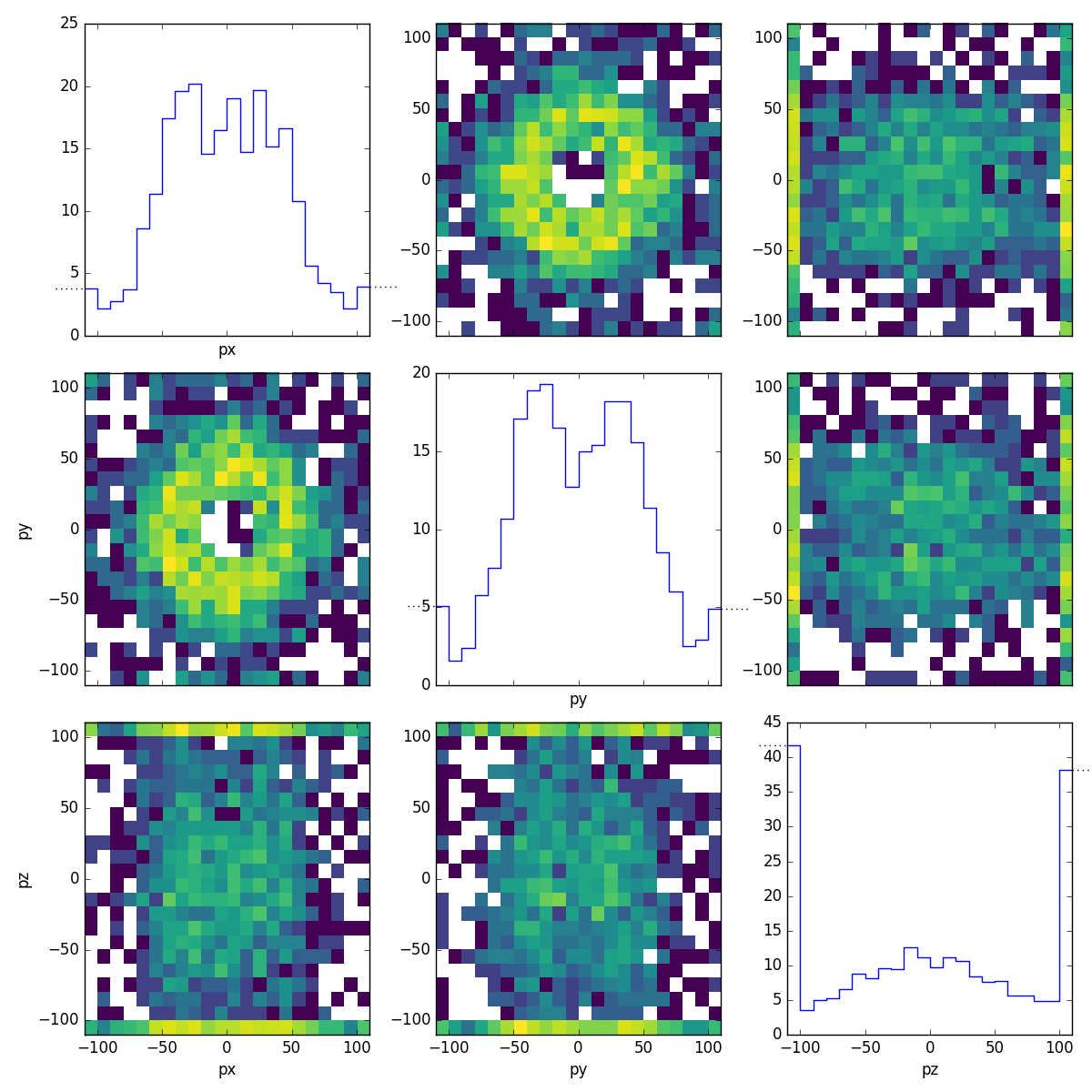
This way, ReMU supports the same input file formats as the pandas library, e.g. CSV, JSON, HDF5, SQL, etc.. Using the uproot library, pandas can also be used to load ROOT files:
https://github.com/scikit-hep/uproot
The ROOT framework is the de-facto standard for data analysis in high energy particle physics:
Uproot does not need the actual ROOT framework to be installed to work. It
can convert a flat ROOT TTree directly into a usable pandas
DataFrame:
import uproot

flat_tree = uproot.open("Zmumu.root")['events']
print_(flat_tree.keys())
['Type', 'Run', 'Event', 'E1', 'px1', 'py1', 'pz1', 'pt1', 'eta1', 'phi1', 'Q1', 'E2', 'px2', 'py2', 'pz2', 'pt2', 'eta2', 'phi2', 'Q2', 'M']
df = flat_tree.pandas.df()
print_(df)
      Type     Run      Event          E1        px1  ...      pt2      eta2      phi2  Q2          M
entry                                                 ...
0       GT  148031   10507008   82.201866 -41.195288  ...  38.8311 -1.051390 -0.440873  -1  82.462692
1       TT  148031   10507008   62.344929  35.118050  ...  44.7322 -1.217690  2.741260   1  83.626204
2       GT  148031   10507008   62.344929  35.118050  ...  44.7322 -1.217690  2.741260   1  83.308465
3       GG  148031   10507008   60.621875  34.144437  ...  44.7322 -1.217690  2.741260   1  82.149373
4       GT  148031  105238546   41.826389  22.783582  ...  21.8913  1.444340 -2.707650  -1  90.469123
...    ...     ...        ...         ...        ...  ...      ...       ...       ...  ..        ...
2299    GG  148029   99768888   32.701650  19.054651  ...  22.8145 -0.645971 -2.404430  -1  60.047138
2300    GT  148029   99991333  168.780121 -68.041915  ...  32.3997 -1.570440  0.037027   1  96.125376
2301    TT  148029   99991333   81.270136  32.377492  ...  72.8781 -1.482700 -2.775240  -1  95.965480
2302    GT  148029   99991333   81.270136  32.377492  ...  72.8781 -1.482700 -2.775240  -1  96.495944
2303    GG  148029   99991333   81.566217  32.485394  ...  72.8781 -1.482700 -2.775240  -1  96.656728

[2304 rows x 20 columns]
muon_binning.reset()
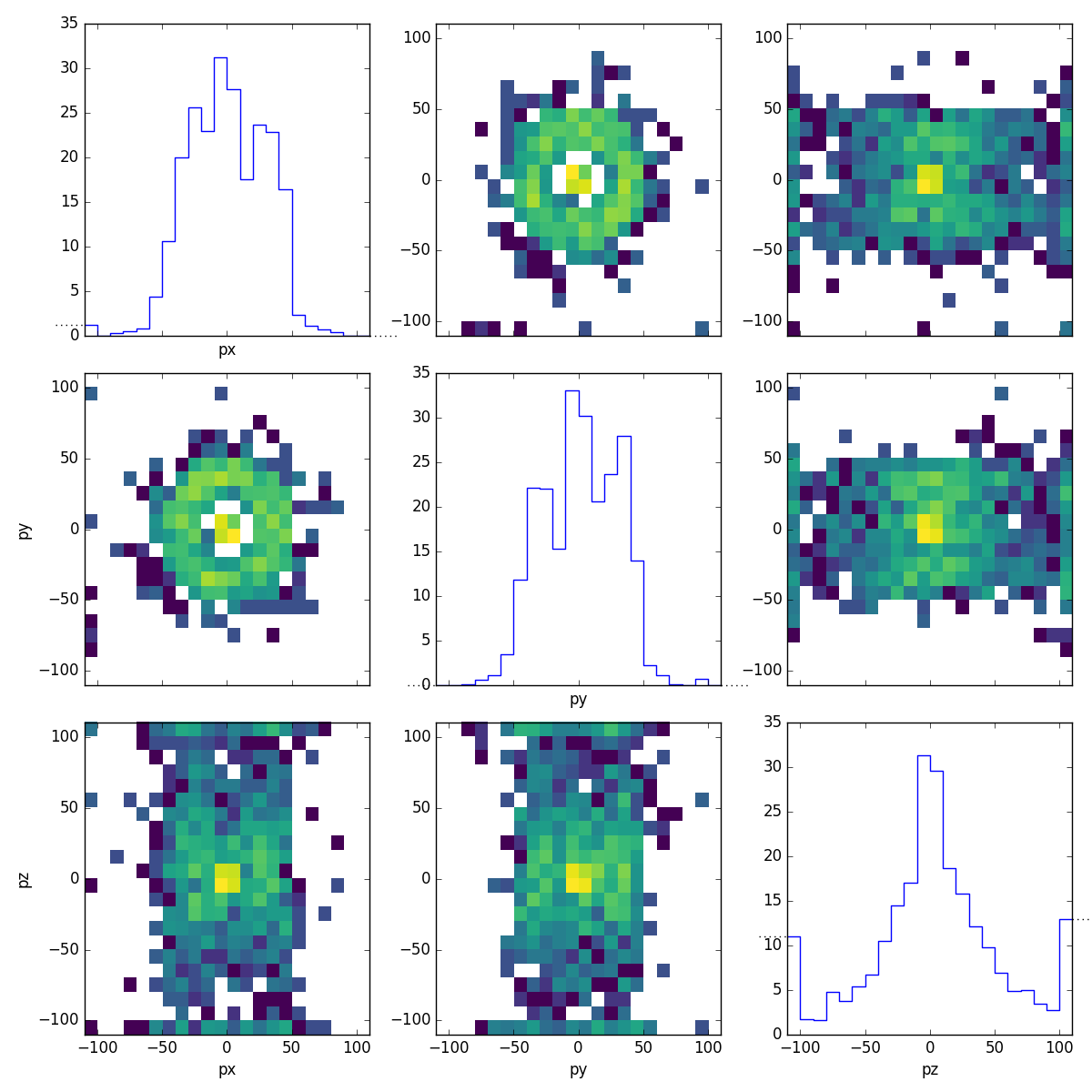
muon_binning.fill(df, rename={'px1': 'px', 'py1': 'py', 'pz1': 'pz'})
muon_binning.plot_values("flat_muons.png", variables=(None,None))
ReMU expects exactly one row per event. If the root file is not flat, but has a more complicated structure, it must be converted to that structure first. For example, let us take a look at a file where each event has varying numbers of reconstructed particles:
structured_tree = uproot.open("HZZ.root")['events']
print_(structured_tree.keys())
['NJet', 'Jet_Px', 'Jet_Py', 'Jet_Pz', 'Jet_E', 'Jet_btag', 'Jet_ID', 'NMuon', 'Muon_Px', 'Muon_Py', 'Muon_Pz', 'Muon_E', 'Muon_Charge', 'Muon_Iso', 'NElectron', 'Electron_Px', 'Electron_Py', 'Electron_Pz', 'Electron_E', 'Electron_Charge', 'Electron_Iso', 'NPhoton', 'Photon_Px', 'Photon_Py', 'Photon_Pz', 'Photon_E', 'Photon_Iso', 'MET_px', 'MET_py', 'MChadronicBottom_px', 'MChadronicBottom_py', 'MChadronicBottom_pz', 'MCleptonicBottom_px', 'MCleptonicBottom_py', 'MCleptonicBottom_pz', 'MChadronicWDecayQuark_px', 'MChadronicWDecayQuark_py', 'MChadronicWDecayQuark_pz', 'MChadronicWDecayQuarkBar_px', 'MChadronicWDecayQuarkBar_py', 'MChadronicWDecayQuarkBar_pz', 'MClepton_px', 'MClepton_py', 'MClepton_pz', 'MCleptonPDGid', 'MCneutrino_px', 'MCneutrino_py', 'MCneutrino_pz', 'NPrimaryVertices', 'triggerIsoMu24', 'EventWeight']
df = structured_tree.pandas.df(flatten=False)
print_(df)
       NJet                             Jet_Px  ... triggerIsoMu24 EventWeight
entry                                           ...
0         0                                 []  ...           True    0.009271
1         1                       [-38.874714]  ...           True    0.000331
2         0                                 []  ...           True    0.005080
3         3  [-71.69521, 36.60637, -28.866419]  ...           True    0.007081
4         2               [3.8801618, 4.97958]  ...           True    0.008536
...     ...                                ...  ...            ...         ...
2416      1                        [37.071465]  ...           True    0.009260
2417      2           [-33.196457, -26.086025]  ...           True    0.000331
2418      1                       [-3.7148185]  ...           True    0.004153
2419      2           [-36.361286, -15.256871]  ...           True    0.008829
2420      0                                 []  ...           True    0.008755

[2421 rows x 51 columns]
This kind of data frame with lists as cell elements can be inconvenient to handle. Uproot can flatten such a tree, when only variables with a single value or the same number of values are selected:
df = structured_tree.pandas.df(['NMuon', 'Muon_Px', 'Muon_Py', 'Muon_Pz'])
print_(df)
                NMuon    Muon_Px    Muon_Py     Muon_Pz
entry subentry
0     0             2 -52.899456 -11.654672   -8.160793
      1             2  37.737782   0.693474  -11.307582
1     0             1  -0.816459 -24.404259   20.199968
2     0             2  48.987831 -21.723139   11.168285
      1             2   0.827567  29.800508   36.965191
...               ...        ...        ...         ...
2416  0             1 -39.285824 -14.607491   61.715790
2417  0             1  35.067146 -14.150043  160.817917
2418  0             1 -29.756786 -15.303859  -52.663750
2419  0             1   1.141870  63.609570  162.176315
2420  0             1  23.913206 -35.665077   54.719437

[3825 rows x 4 columns]
This double-index structure is still not suitable as input for ReMU, though. We can select only the first muon in each event, to get the required “one event per row” structure:
df = df.loc[(slice(None),0), :]
print_(df)
                NMuon    Muon_Px    Muon_Py     Muon_Pz
entry subentry
0     0             2 -52.899456 -11.654672   -8.160793
1     0             1  -0.816459 -24.404259   20.199968
2     0             2  48.987831 -21.723139   11.168285
3     0             2  22.088331 -85.835464  403.848450
4     0             2  45.171322  67.248787  -89.695732
...               ...        ...        ...         ...
2416  0             1 -39.285824 -14.607491   61.715790
2417  0             1  35.067146 -14.150043  160.817917
2418  0             1 -29.756786 -15.303859  -52.663750
2419  0             1   1.141870  63.609570  162.176315
2420  0             1  23.913206 -35.665077   54.719437

[2362 rows x 4 columns]
muon_binning.reset()
muon_binning.fill(df, rename={'Muon_Px': 'px', 'Muon_Py': 'py', 'Muon_Pz': 'pz'})
muon_binning.plot_values("sliced_muons.png", variables=(None,None))